Impressive PowerPoint Presentation Design Service
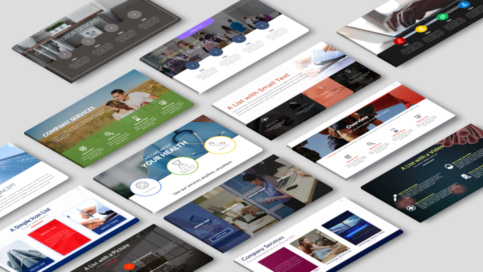
We create high-quality and beautifully designed PowerPoint presentations using the latest techniques in presentation design and animation that are sure to engage and impress your audience.
You will stand out from the crowd of dry boring presentations and prevent death by PowerPoint!

Visuals will increase interest, understanding, and remembrance of your information. Your audience will forget 10% of the information presented in a few days if it is only presented in text form. But if the same information is presented visually (charts, illustrations, images, etc.), the audience will remember 65%. We will make your presentation design slides memorable by taking your text and turning it into high-quality graphics.
We create presentations for various industries, including but not limited to:
- Technology
- Government
- Healthcare
- Real Estate
- Fashion
- Retail
- Media Services
- Financial Services
- Education
- Entertainment
- Non-profit
Types of Presentations
We create presentations for a variety of purposes. Check out the links below to see how we will take your presentation to the next level!
- Seminars and Webinars
- Training and Education
- Team Meetings

Choose a Service

Request a Meeting

Receive a Custom Plan

Design Your Presentation
Presentation Design FAQs
What is our design approach?
At Slide Navigator, we take a value-oriented design approach. Value-oriented design is not about style or fashion, as important as they are. First and foremost, it is about effectively communicating one or more of a client’s strategic messages, which is our business to craft. We are a presentation design agency that uses this approach to ensure you reach your goals and receive a return on your investment.
Which design package should I choose?
There are three design packages to choose from.
The first package is excellent if you need more advanced custom design and animation. Interactive and animation/video presentations will also fall under this package. Unlike with the previous two packages, your information does not already have to be on slides. The designer will work with you to divide your information onto your slides. Payment will be determined based on the scope of work. You will receive a quote.
The second package is an excellent choice if you have multiple presentations that need redesigning. This will include a basic design and animation. You will send your slides to us that you want redesigned. It is a subscription service that is paid monthly.
The third package is excellent if you need content and presentation design for a pitch deck.
How long will it take to receive my presentation?
In general, allow 5 business days for every 25 slides that you request. Depends on the number of slides and the complexity of the design. If you request multiple revisions, this can extend the time you receive your finalized presentation.
Ex. You want 50 slides designed, allowing 10 business days.
How much do presentation design services cost?
View Design Packages.
Does Slide Navigator use other presentation software besides PowerPoint?
PowerPoint and Google Slides
How do I prepare for the free 30 minute consultation?
The purpose of the free 30-minute consultation is to get an understanding of your project in order to formulate a quote. Questions asked during consultation:
- What are your objectives? (ex. get an investment, sell a product, inspire action, etc.)
- How long (ex. 30 min, 60 min) is your presentation?
- What is the estimated number of slides you will need?
- What is the deadline?
- Who will be listening to your presentation? (ex. investors, coworkers, business partners, etc.)
- How would the presentation be presented? (online, projector, computer, recorded presentation, multiple presenters, online course, etc.)
- What sort of material will you be supplying?
- Draft presentation deck, with photographs
- Draft presentation, text only
- Draft outline
- Draft storyboard on paper
- Excel data
- Only an idea of the message you want to communicate
6. Do you want an interactive presentation? (Click here to learn more about interactive presentations)
7. Do you want animation?
8. Do you need illustrations, graphs or images redrawn?